From: Store Importer
Whitelist our server IP in Cloudflare
If you use our migration apps and your store is protected by Cloudflare, you need to allow our server IP in Cloudflare. This prevents Cloudflare from blocking communication between your store and our app.
You can find the server IP address on the Connect page inside our app. The IP address can be different for each store, so if you migrate multiple stores, make sure to add all the IPs listed there.
To whitelist the IP address in Cloudflare:
-
Go to Security rules in your Cloudflare dashboard.
-
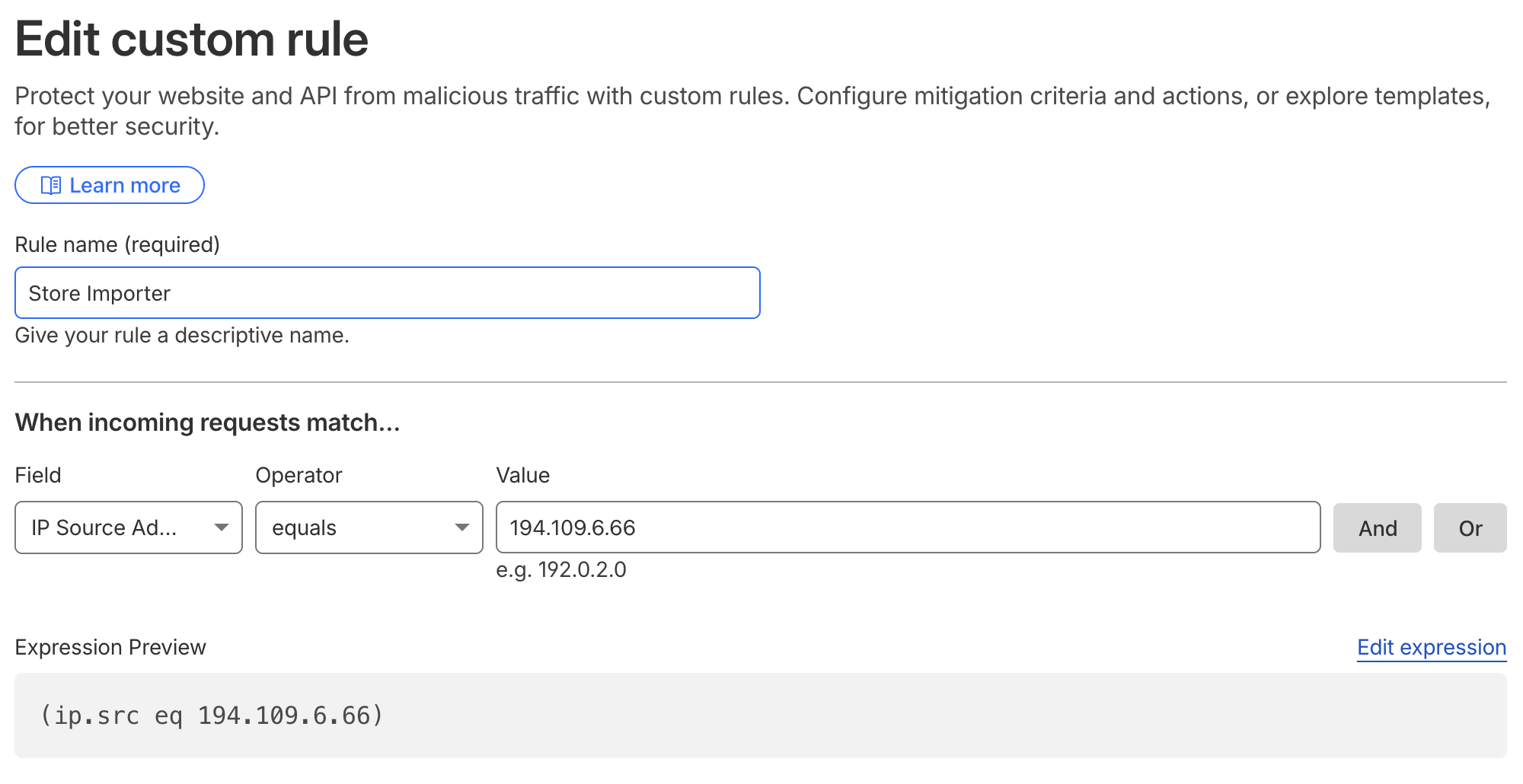
Click Create rule and fill out the form:
-
Rule name: for example Store Importer
-
Field: IP Source Address
-
Operator: equals
-
Value: the server IP from the Connect page (for example 194.109.6.66)
-
Choose action: Skip
-
Under WAF components to skip, check all options
-
Select order: First
-
-
Click Save.
It can take a minute or two for the rule to take effect.